
WSupport · Solution
How to set up customer support and SLA tracking
If support requests are scattered between email and WhatsApp, your response times aren't being measured — and what isn't measured can't be managed. This page shows how a multi-channel support operation is consolidated into one queue and how SLA discipline is built in the WApps business management ecosystem.
30 days freeNo credit card neededSet up in minutes

01Open the portal
02Let the customer send it
03Follow it together
WSupportWeb basedNothing to install, runs in the browser
One WApps accountEvery app with the same login
30 days freeNo card details required
4 key outcomesPage updated: 26 September 2026
Definition
What are customer support and SLA?
Customer support is the practice of recording an incoming request and tracking it through to resolution; an SLA (service level agreement) is the written commitment for how quickly those requests will be answered and resolved. When requests are scattered across email and chat, response time cannot be measured — and what cannot be measured cannot be committed to or managed.
Problem and approach
One inbox per channel, requests without owners
When one person watches email and another watches WhatsApp, requests live in personal inboxes. Nobody knows who replied to what; requests wait while their owner is on leave; a customer asking the same question on two channels gets two different answers. Because promised response times are measured nowhere, the SLA exists only in the contract — it has no counterpart in the operation.
Target flow: every channel in one queueTarget flow: every ticket has an ownerTarget flow: the SLA lives in the operation
Interactive demo
Try it yourself
Tap New request and submit it from the customer’s point of view.
●wapps.work/app/support
Interactive mini demo
Try it now:Tap New request and submit it from the customer’s point of view.
My requests
Track the requests you opened and their current status here.
This portal belongs to this customer only; records of other customers are never visible.
How it works
How does WSupport work in three steps?
- 1
Open the portal
Switch the portal on for that customer in the Customers section — no separate product attachment needed.
- 2
Let the customer send it
The customer submits the request and attachments from their own portal, cutting email and phone traffic.
- 3
Follow it together
The request lands in your team’s WTask flow, and every status change shows up in the customer’s portal.
- Who uses it?
- Agencies, service and support teams working for customers
- What goes in?
- The customer’s request, attachments and service plan
- What becomes visible?
- A request list the customer tracks themselves
Product video · 1:51
WSupport at work
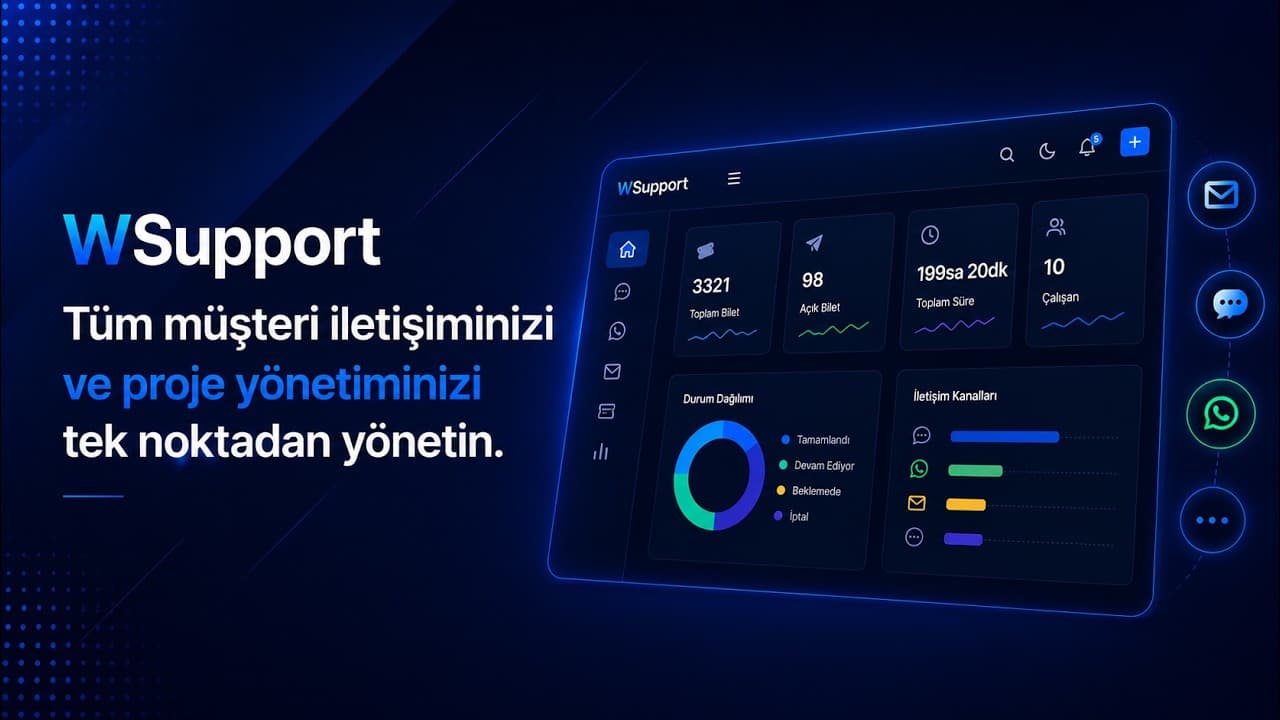 Manage all customer communication from one place: WSupport1:51
What you get
Impact on the workflow
Target flow: every channel in one queue
Email and WhatsApp requests land in the same queue as tickets and are managed from a single list regardless of channel.
Target flow: every ticket has an owner
Requests are assigned to team members; handing over during leave or load is a single action. No request goes unowned.
Target flow: the SLA lives in the operation
Response and resolution targets are defined in the system; approaching and overdue requests are highlighted in the panel. The SLA moves from contract to operation.
Target flow: history next to the customer
The customer's previous tickets are visible next to the current one; replies come without asking for context.
Flow between apps
WSupport talks to the other apps
A record created in one app carries over to the related apps on its own, so you never enter the same data twice.
- WSupportWContacts
Email thread attached to the request
Support request to resolution
- WTaskWSupport
#1042 resolved, customer notified
Support request to resolution
- WSupportWPerf
Resolution time added to team goal
Support request to resolution
Implementation notes
Implementation notes
WSupport is built for this flow
Multi-channel ticket intake, assignment, SLA tracking and customer history are built into WSupport; tickets open from WCRM in one click.
What should you measure?
Four numbers are enough for a support operation: time from a request opening to the first reply, total time to resolution, the share of requests that pass their due date, and the distribution across priorities. WSupport derives all four from the request record, so no separate sheet is required.
Work it out with your own numbers
Try it with your figures: if you receive N requests a month and each generates K extra conversations purely about its status, status questions alone cost N×K touches a month. To see how much a customer portal removes, record your current K first.
What setup this runs on
This flow is built with WSupport and WTask together: the customer opens a request from the portal, the work progresses in your team's WTask queue, and the status reflects back to the portal. Monthly allocated hours are defined on the customer record and shown in the portal.
Continue exploring
Continue exploring
Next step
How to set up customer support and SLA tracking
If support requests are scattered between email and WhatsApp, your response times aren't being measured — and what isn't measured can't be managed. This page shows how a multi-channel support operation is consolidated into one queue and how SLA discipline is built in the WApps business management ecosystem.
30 days freeNo credit card neededSet up in minutes