
Three kinds of measurement, one tool
Internal 360 reviews, customer satisfaction surveys and a quick poll broadcast to the whole team are all built in the same product. You don't reach for a different tool depending on what you want to measure.
We use Google Analytics and Microsoft Clarity only with your explicit consent to measure site usage and improve the experience. Declining does not affect the site or signup. Privacy policy
WPerf is the feedback and performance module of the WApps business management ecosystem. Set up internal 360 reviews and customer satisfaction surveys in minutes, distribute them through per-recipient links, collect responses anonymously and analyze them with trend and distribution views.

Definition
WPerf is a web-based feedback and performance tool for running internal 360 reviews and customer satisfaction surveys and analyzing the results. Build surveys from rating, NPS, open-text and multiple-choice questions, distribute them through per-recipient links, and read the results through trend and distribution views. It is part of the WApps suite.
Problem and approach
WPerf owns collecting feedback and making it readable: building surveys, distributing them by targeted or open links, collecting responses anonymously, and producing the 360 matrix along with trend and distribution analysis. What it does not do is equally clear: it does not run payroll or hold personnel files (salaries live in WFinance), it does not manage leave or shifts, and it does not track tasks (WTask). A survey's subject is a team member or customer in your WApps account; WPerf keeps no separate employee record.
Interactive demo
Select New link, choose the survey and audience, then create the shareable link.
15-second product tour
Share a survey link, monitor responses, and turn team feedback into a period-based evaluation.
Create and track shareable survey links.
How it works
Prepare questions and open a shareable evaluation link.
Monitor participation and completion for each survey.
Compare responses in the context of teams and periods.
Product video · 1:35
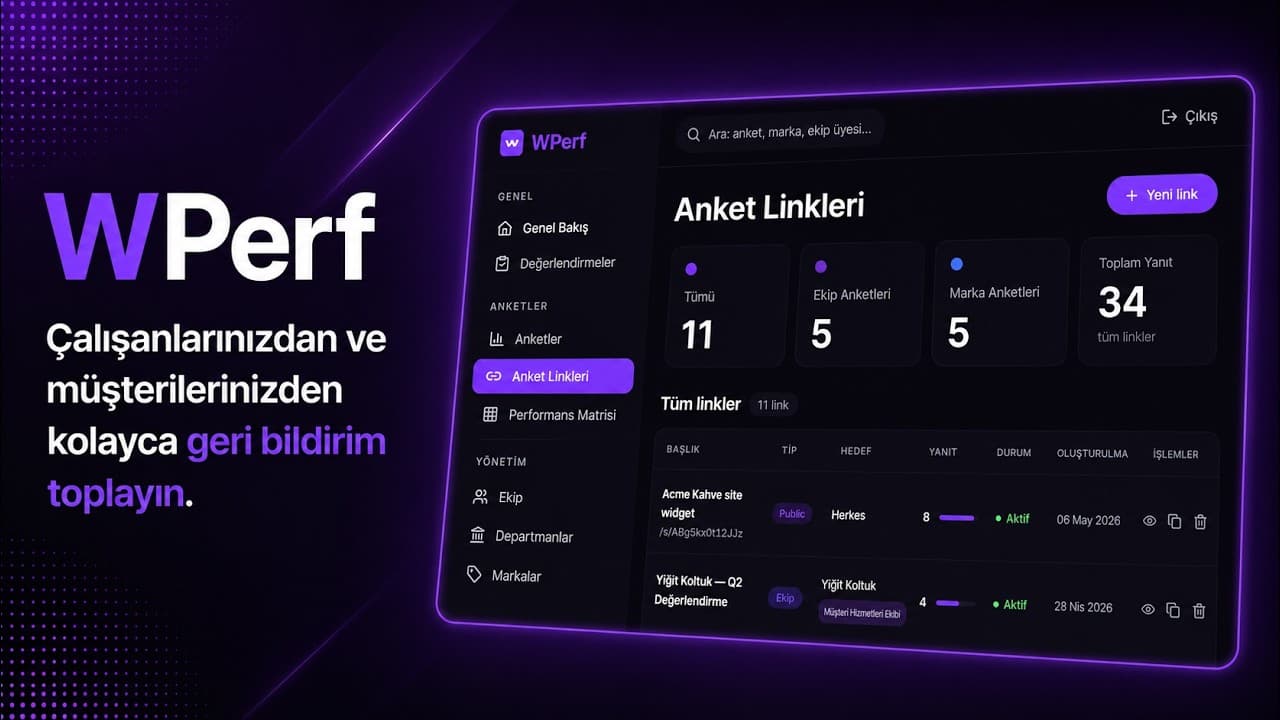 Manage employee and customer feedback from one panel1:35
What you get
Internal 360 reviews, customer satisfaction surveys and a quick poll broadcast to the whole team are all built in the same product. You don't reach for a different tool depending on what you want to measure.
Rating, NPS, free text, single-choice and multiple-choice questions can be combined in one survey, so numeric comparison and open commentary are collected on the same form.
Surveys collect anonymously by default: when a response is anonymous, no name or email is stored at all. People answer without worrying that their name will be attached.
In a 360 review the responses form a matrix showing which reviews are complete and which are still outstanding. Because the matrix can be built even under anonymous display, missing reviews stay followable.
Repeat the same measurement across periods and compare direction through trend and distribution views. Instead of a one-off snapshot you get a curve that shows where things are heading.
Launch 360 reviews for the whole team in bulk, or broadcast a survey to every member at once. Sending to a recipient list by email happens inside the product.
Each invitation has its own link, tracked as active, completed or disabled. Who has answered and who is still pending is readable from the list.
A survey's subject is a team member or customer in your WApps account, referenced by identity and label. There is no separate user list to maintain.
Flow between apps
A record created in one app carries over to the related apps on its own, so you never enter the same data twice.
Resolution time added to team goal
Support request to resolution
Goal progress updated
Meeting to tasks
Implementation notes
Internal 360 (subject is a team member), customer survey (subject is a customer) and a general survey with no individual subject are defined as distinct types in the product.
Rating, NPS, free text, single-choice and multiple-choice question types ship with the product and can be combined in a single survey.
Anonymity, whether email is required and whether comments are allowed are configured per survey. In an anonymous survey the respondent's name and email are not recorded.
Surveys move through draft, active, completed and archived states; a closed survey stops accepting responses.
A link can be generated for a specific team member, a specific customer, or open to anyone, and sent to recipients by email.
A summary dashboard, recent responses, the 360 matrix, period trends and score distribution views are available inside the product.
Every response records whether it arrived via link, email or API, so the effect of each distribution channel is measurable.
WPerf references the team member and customer records of the WApps account by identity and runs on the same member and permission infrastructure.
Can't find your answer? Let's go through it together in an intro call.
Yes. Surveys run on shareable links; for customer satisfaction measurement they can be sent outside the company. A link can be generated for one specific customer or left open to anyone.
Depending on the survey setup you can collect identified or anonymous responses; anonymous setup is recommended for employee satisfaction measurement.
Yes, every WApps account starts with a 30-day free trial and all WPerf features are available during the trial.
Continue exploring
Next step
WPerf is the feedback and performance module of the WApps business management ecosystem. Set up internal 360 reviews and customer satisfaction surveys in minutes, distribute them through per-recipient links, collect responses anonymously and analyze them with trend and distribution views.