
It joins the meeting itself
Connect your calendar and it joins according to the rule you choose: every eligible meeting, only ones you organise, or only those you start manually. No per-meeting setup.
We use Google Analytics and Microsoft Clarity only with your explicit consent to measure site usage and improve the experience. Declining does not affect the site or signup. Privacy policy
WMeet is the meetings module of the WApps business management ecosystem. It joins the meetings on your calendar, transcribes what was said, and produces a summary with action items — so nobody has to stop and take notes.

Definition
WMeet is a web-based meeting assistant that records, transcribes and summarizes online meetings. It connects to your calendar, joins according to the rule you set, transcribes speech per speaker, and then produces a summary, key points and action items. It is part of the WApps suite.
Problem and approach
WMeet owns recording a meeting and making it readable: picking the meeting up from the calendar, joining by rule, capturing audio and video, producing a speaker-attributed transcript, generating summaries and action items, and sharing behind a password. What it does not do is equally clear: it does not schedule meetings or send invitations, it does not track tasks (action items move to WTask), and it keeps no CRM record (WCRM). Participants are notified that recording is happening; it is not built for covert recording.
Interactive demo
Pick a meeting, then open the summary once recording and transcription finish.
15-second product tour
Connect your calendar, choose a join rule, and get a transcript with a summary and action items produced for you.
Meetings come from your calendar; the assistant joins only those matching your rule.
How it works
Meetings are picked up from your calendar, and a rule decides which ones it joins.
Participants are notified that recording started, and speech is transcribed per speaker.
A summary, key points and action items are generated and shared behind a password-protected link.
Product video · 1:50
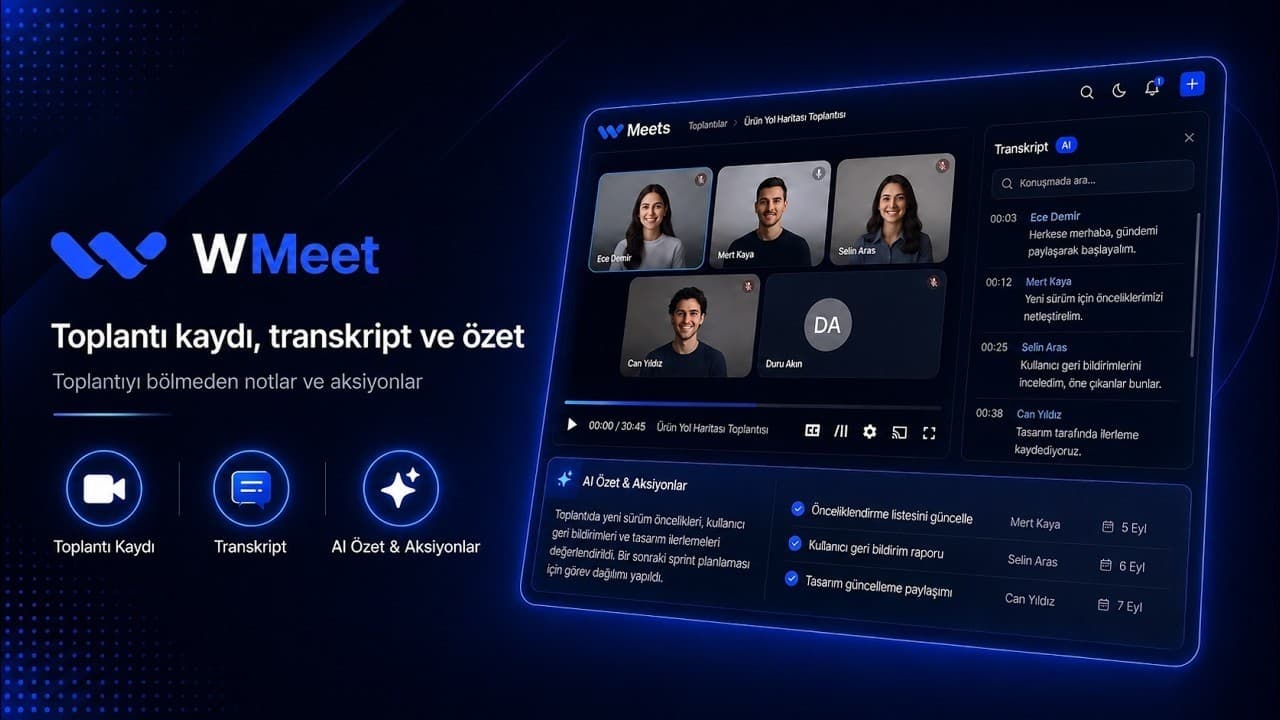 No more taking meeting notes: WMeet1:50
What you get
Connect your calendar and it joins according to the rule you choose: every eligible meeting, only ones you organise, or only those you start manually. No per-meeting setup.
Speech is transcribed per speaker, with the language recorded alongside. After the meeting, "who said that?" is answered from the record rather than from memory.
Each meeting produces a title, summary, key points and action items, with long meetings split into chapters. Writing the post-meeting recap disappears.
Anyone who couldn't attend reads the transcript and summary instead. Knowledge stops being trapped in the memory of whoever was in the room.
Recordings and summaries are shared through a password-protected link, and view counts are tracked, so sharing outside the company stays controlled.
When recording starts, participants are notified and the fact that the notice was sent is stored on the record. Transparency is the product's default behaviour.
Flow between apps
A record created in one app carries over to the related apps on its own, so you never enter the same data twice.
Meeting recorded and summarized
Trade show to proposal
Proposal sent · ₺120,000
Trade show to proposal
5 draft tasks created
Meeting to tasks
Implementation notes
Meetings are picked up from calendar events; title, time, attendee list and the meeting link are stored on the record.
Joining is configured as manual, only meetings you organise, or all eligible meetings.
The transcript stores speaker and language for each segment, and in-meeting chat messages are captured too.
Title, summary, key points, action items and chapters are generated, with the model used and generation time stored on the record.
The meeting's audio and optional video are stored with duration and size information.
Share links are password protected, and view count and share time are kept on the record.
Can't find your answer? Let's go through it together in an intro call.
Yes. When recording starts participants are notified, and the time that notice was sent is stored on the record. The product is not designed for covert recording.
Yes. The transcript stores the language for each segment and Turkish meetings are supported.
No. WMeet joins an existing meeting; creating meetings and sending invitations is your calendar application's job.
Continue exploring
Next step
WMeet is the meetings module of the WApps business management ecosystem. It joins the meetings on your calendar, transcribes what was said, and produces a summary with action items — so nobody has to stop and take notes.