
WSupport
Let your customers follow their own requests: WSupport
WSupport is the branded portal your customers log into to open requests and follow their status. Open a portal for a customer from the Customers section and their requests land straight in your team's WTask flow. You are billed only for the portals you actually open.
30 days freeNo credit card neededSet up in minutes

01Open the portal
02Let the customer send it
03Follow it together
WSupportWeb basedNothing to install, runs in the browser
One WApps accountEvery app with the same login
30 days freeNo card details required
8 key outcomesPage updated: 26 September 2026
Definition
What is WSupport?
WSupport is a branded customer portal where your customers open support requests and follow their status. When you open a portal for a customer, their requests land directly in your team's WTask flow. Billing is based on the number of portals you open; customer records kept without a portal are free.
Problem and approach
What WSupport handles — and what it doesn't
WSupport owns the exchange of requests between you and your customers: opening a branded portal for a customer, recording the request, showing its status back to them, sharing the monthly hour quota and service plan, and tracking renewal dates. What it does not do is equally clear: it does not run your team's internal workflow (that is WTask), build proposals (WProposal) or issue invoices (WFinance). Response time is measured, but there is no configurable SLA target per priority — measurement runs off the due date you set on each ticket.
Customers see their own requestsRequests land straight in the team's flowA shared record instead of a scope argument
Interactive demo
Try it yourself
Tap New request and submit it from the customer’s point of view.
15-second product tour
Open a branded portal for your customer so they send requests, follow status and see their remaining hour quota themselves — while the request lands in your team’s flow.
Interactive mini demo
●wapps.work/app/support
Interactive mini demo
Try it now:Tap New request and submit it from the customer’s point of view.
My requests
Track the requests you opened and their current status here.
This portal belongs to this customer only; records of other customers are never visible.
How it works
How does WSupport work in three steps?
- 1
Open the portal
Switch the portal on for that customer in the Customers section — no separate product attachment needed.
- 2
Let the customer send it
The customer submits the request and attachments from their own portal, cutting email and phone traffic.
- 3
Follow it together
The request lands in your team’s WTask flow, and every status change shows up in the customer’s portal.
- Who uses it?
- Agencies, service and support teams working for customers
- What goes in?
- The customer’s request, attachments and service plan
- What becomes visible?
- A request list the customer tracks themselves
Product video · 1:51
WSupport at work
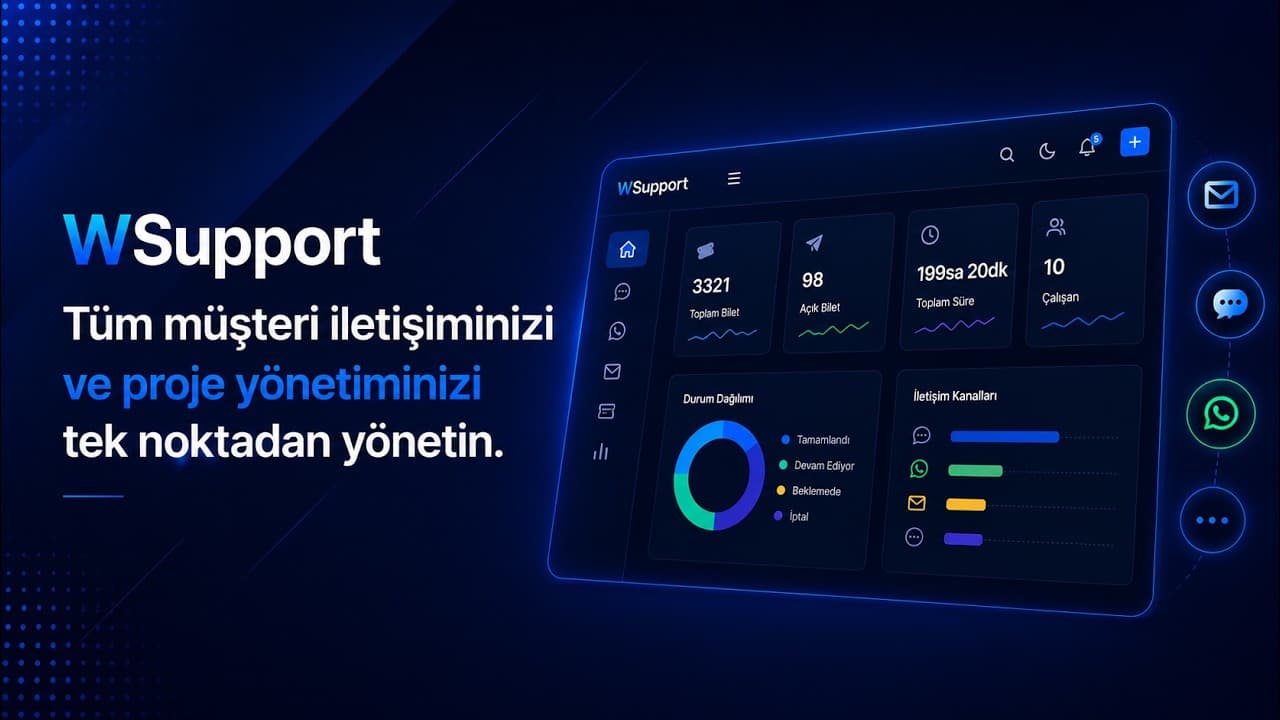 Manage all customer communication from one place: WSupport1:51
What you get
Impact on the workflow
Customers see their own requests
Each customer opens requests from their own branded portal and sees both history and current status. The status question is replaced by looking at the portal.
Requests land straight in the team's flow
A request opened from the portal enters your team's WTask queue without waiting in a separate inbox, removing the copy-and-forward step.
A shared record instead of a scope argument
Monthly allocated hours and the service plan are visible in the customer's own portal. How much has been used stops being a debate and becomes a shared record.
Delay is measured, not guessed
Every request carries a due date, and overdue ones are reported by priority. Average resolution time and first response time are tracked in the panel, so you check your promise against data.
WhatsApp requests are recorded too
A message from a customer's dedicated WhatsApp group can be turned into a request, with the source message kept on the record. The conversation no longer disappears into chat.
Renewal dates aren't forgotten
Domains, hosting and similar services you track on a customer's behalf are recorded with their provider, duration and renewal date, so an expiring service never becomes a surprise.
Recurring maintenance schedules itself
Periodic maintenance is attached to a recurrence and opens automatically when due, visible in the customer's portal too. A maintenance contract lives in the system rather than on a calendar.
Pay per portal you open
Billing is per portal: only customers you open a portal for count as units. Customer records kept without a portal are free.
Flow between apps
WSupport talks to the other apps
A record created in one app carries over to the related apps on its own, so you never enter the same data twice.
- WSupportWContacts
Email thread attached to the request
Support request to resolution
- WTaskWSupport
#1042 resolved, customer notified
Support request to resolution
- WSupportWPerf
Resolution time added to team goal
Support request to resolution
Implementation notes
Implementation notes
A branded portal per customer
When you open a portal for a customer from the Customers section, that customer signs in with their own account and sees only their own records.
One flow with WTask
Requests opened from the portal land in the team's ticket queue, and status updates appear back in the customer's portal. Every request receives a sequential number.
Hour quota and billing period
Monthly allocated hours and a billing day are held on the customer record and compared against the time entries logged on tickets.
Priority and due date
Requests are prioritised as low, high or critical and carry a due date, with a reminder sent as the date approaches.
Service records and renewal tracking
Services tracked on a customer's behalf are recorded with provider, start date, duration, renewal date and cost.
Customer-specific WhatsApp link
A WhatsApp group can be linked to a customer record and verified; messages from that group can be converted into requests.
AI assistant connection
Connect your support records to your own AI assistant to list, read and ask about tickets.
Billing per portal
The billable unit count is the number of users plus the number of customers with an open portal; a customer record without a portal produces no unit.
Frequently asked questions
Can't find your answer? Let's go through it together in an intro call.
01Can I use WSupport on its own?
WSupport works together with WTask: a request opened from the portal lands in your team's WTask flow. If you do not want to give customers a portal, you can use WTask on its own.
02How is a customer portal opened?
Go to the Customers section in the panel and switch the portal on for that customer record. You do not need to attach the customer to a product separately — access is defined the moment the portal opens.
03Am I billed for customers without a portal?
No. Billing only counts customers you opened a portal for; other customer records you keep for CRM purposes are free.
04Is there a trial?
Yes, every WApps account starts with a 30-day free trial and no credit card is required during the trial.
Continue exploring
Continue exploring
Next step
Let your customers follow their own requests: WSupport
WSupport is the branded portal your customers log into to open requests and follow their status. Open a portal for a customer from the Customers section and their requests land straight in your team's WTask flow. You are billed only for the portals you actually open.
30 days freeNo credit card neededSet up in minutes